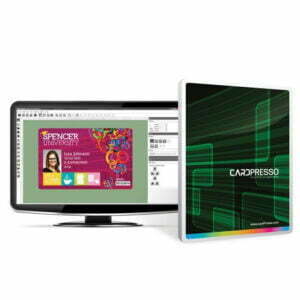


If you currently use an Evolis card printer and would like to upgrade your CardPresso card printing software to add more features then you can order an upgrade here.
Cardpresso XXS
Is idea if you just need to create a simple card design with photo. The XXS version has an internal database to store printed card records but cannot be connected to an external database like .CSV or Excel files. Users must upgrade to the XS version to connect to outside files for batch design and printing.
Cardpresso XS
Adds on to the basic features offered in CardPresso XXS. There is database connectivity for .XLS, .CVS, and .TXT. You will be able to easily establish a database connection to view, browse and find records and link a photo image to DB field.
Cardpresso XM
Takes database entry to an advanced level enabling integration with Microsoft Access. You will be able to image point to a database field, FaceCrop photos, create 1D & 2D barcodes, Smartcard plugin, database search records, image point to database field and batch printing.
Cardpresso XL
Add ODCB connection, contactless encoding, operation logs, logins, autoprint, condition layout and database reports.
CardPresso XXL
Perfect for larger organisations or those who need to print cards in more than one location as it’s a net license for up to 16 computers. The XXL version allows for web printing and has added advanced features.
Support
CardPresso offers free support for their software via phone, skype, and support.
Important: You must upgrade from your current installed version of Cardpresso, for example to upgrade from XS to XM you must already have XS installed. Failure will result in the upgrade not activating and the software upgrade is non-refundable once we have emailed the activation code to you!
To discover the best version for your business please click here to view the features.